Add to ChatGPT
chatgpt.com and the ChatGPT apps.
Using Claude? Add it to Claude.
Sign in first: The plugin is added to your ChatGPT account, so you need to be signed in to chatgpt.com. A free account works too. You do not need a separate Risale-i Nur account.
Setup
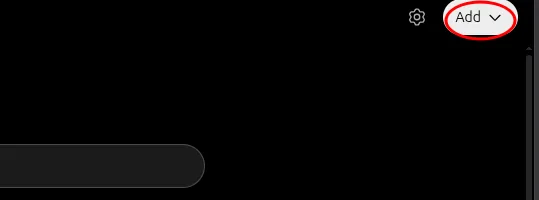
- Open the plugins page. The button below opens the plugins page on chatgpt.com in a new tab (or choose Plugins in the sidebar). Select Add at the top right.
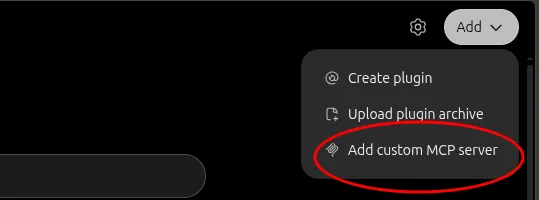
- Choose Add custom MCP server.
- Enter the details. ChatGPT has no link that opens this dialog filled in; copy the values with the buttons next to them and paste them:
NameFor Authentication, choose No authentication, tick I understand and want to continue and select Create as a plugin.
Risale-i NurConnectionhttps://mcp.risalemcp.com/mcp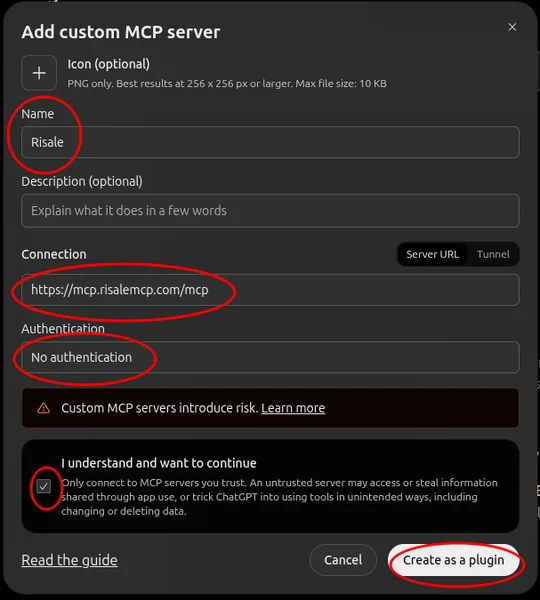
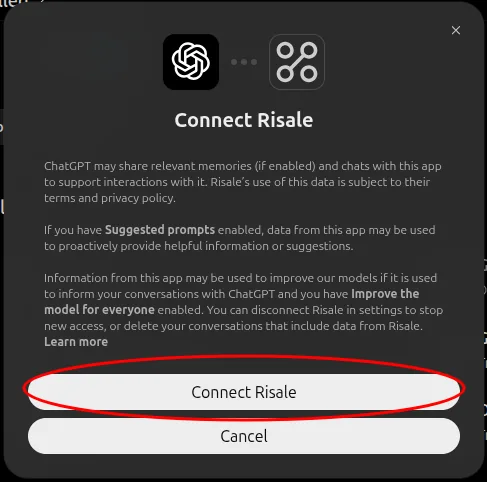
- Connect. In the dialog that opens, select Connect Risale-i Nur. (The button carries the name you gave; in the screenshot it is "Risale".)
- Ask. Ask your question; if the assistant does not use the plugin on its own, pick Risale-i Nur from the menu in the message box. You can check the setup with one question.
From a phone: The plugin cannot be added in the ChatGPT app (the app has no Add button), but it can be added the same way at chatgpt.com in the phone's browser. Add it once, and it appears and works in the app signed in to the same account.
The same steps in a phone's browser (Turkish interface)
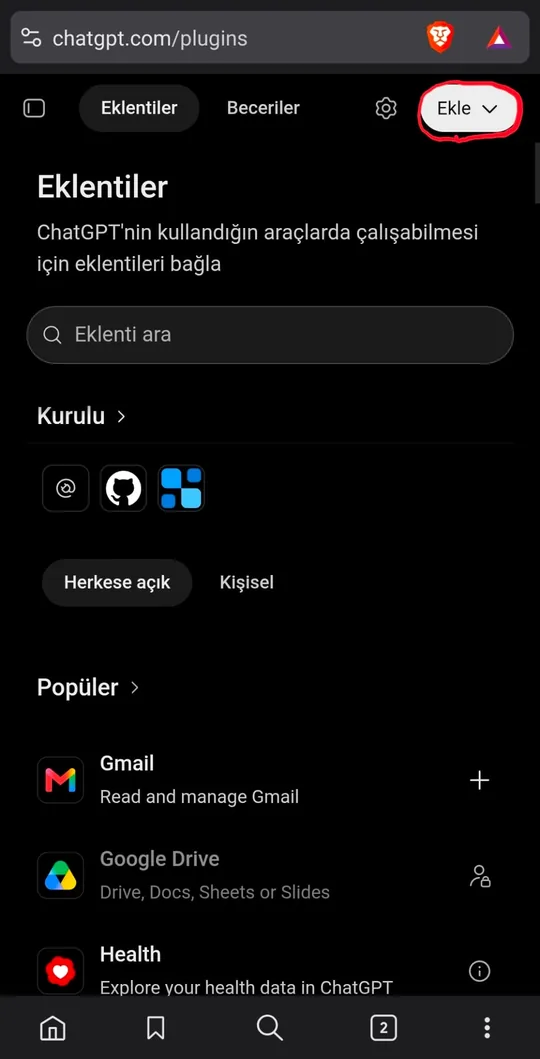
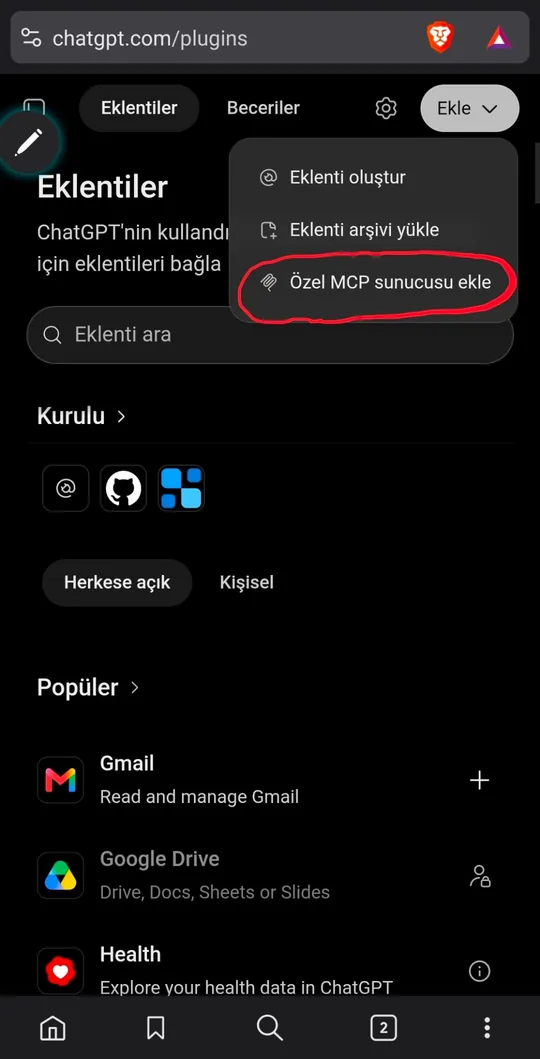
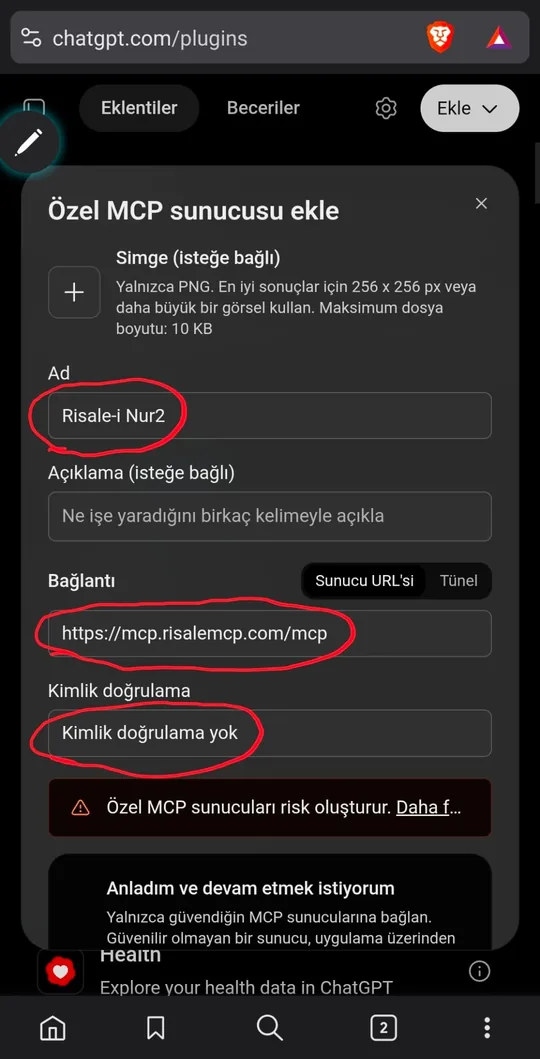
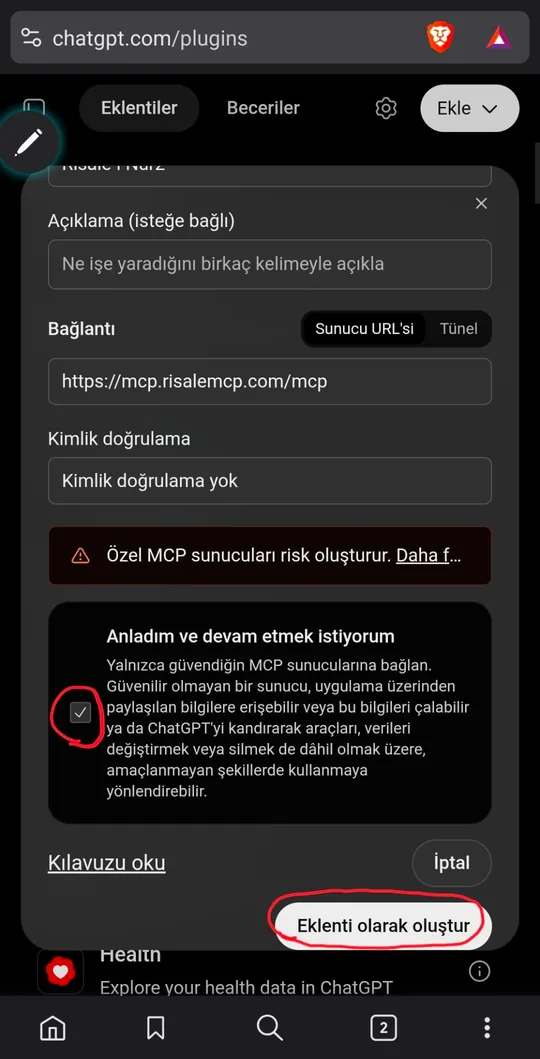
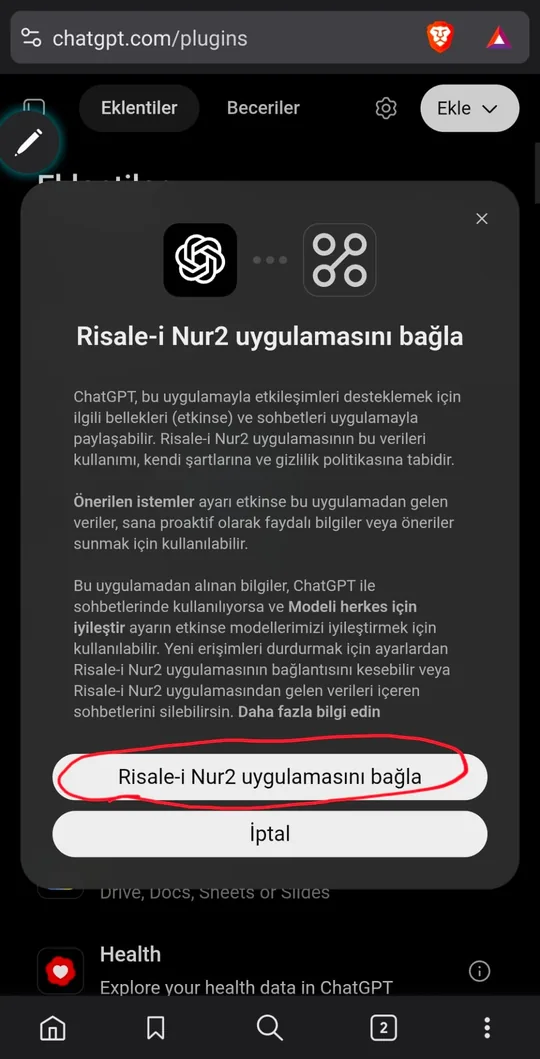
The screenshots were taken in November 2026; ChatGPT's interface may look slightly different if it changes.
Project and instructions
The plugin cites its sources on its own too, but in a project with instructions ChatGPT keeps the text and interpretation apart more neatly and gives the bibliography more faithfully. These instructions are written for ChatGPT and differ slightly from Claude's.
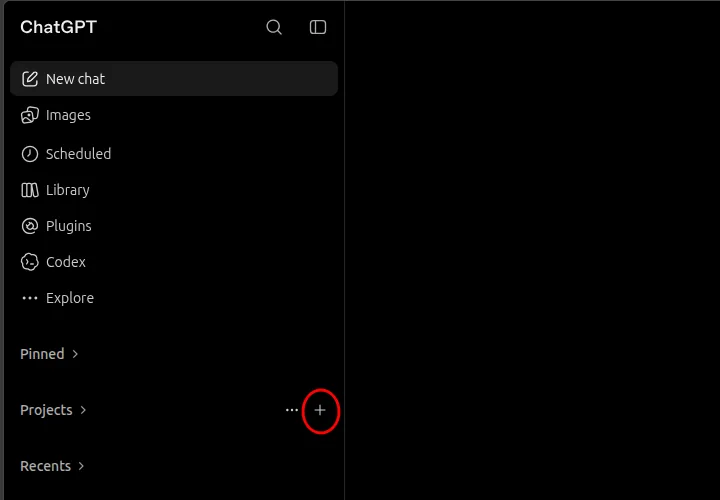
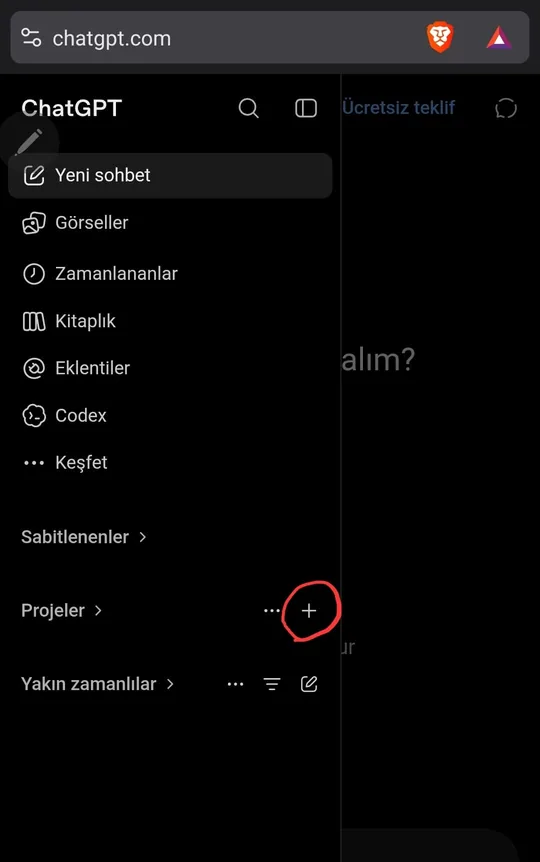
- In the sidebar, select the + button right of Projects.
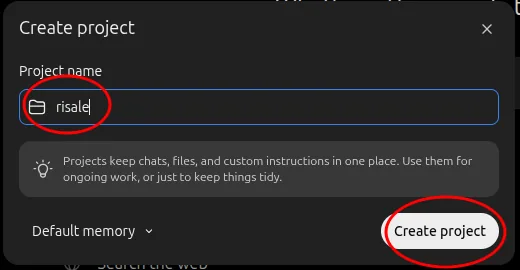
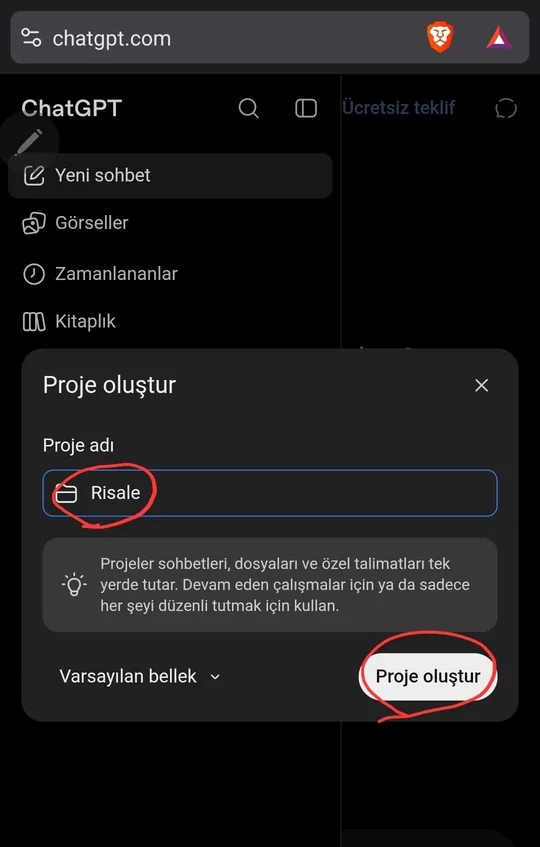
- Enter a project name, for example "Risale-i Nur", and select Create project.
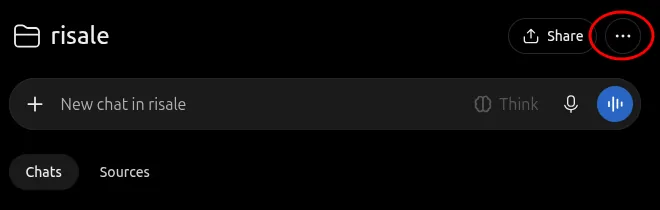
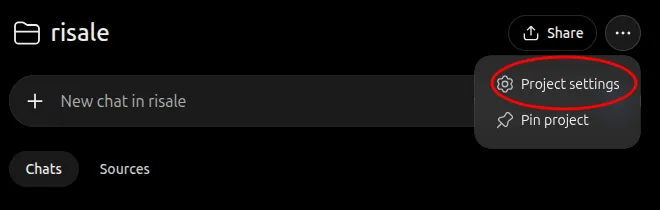
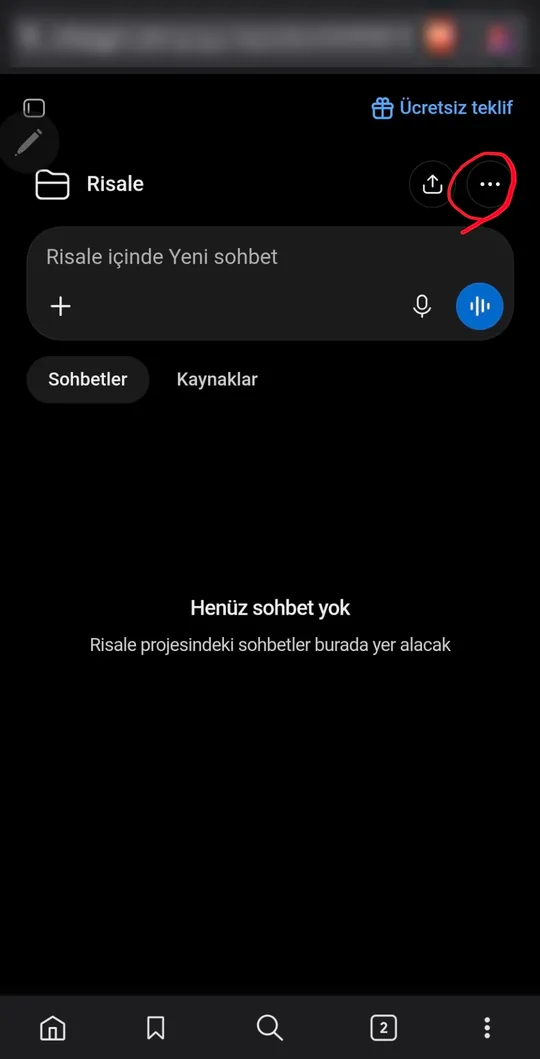
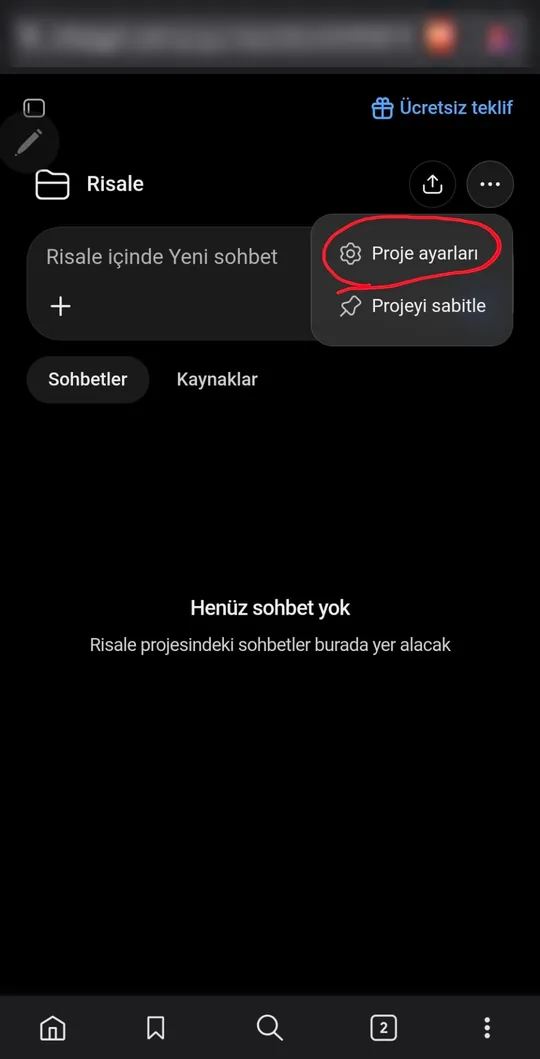
- On the project's page, select the ⋯ button at the top right and choose Project settings.
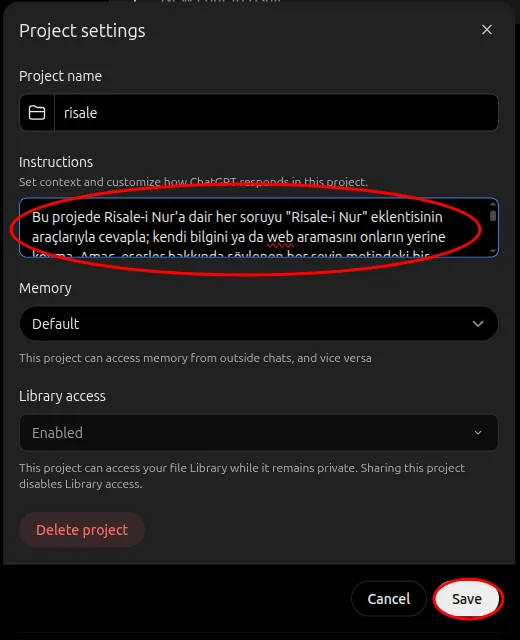
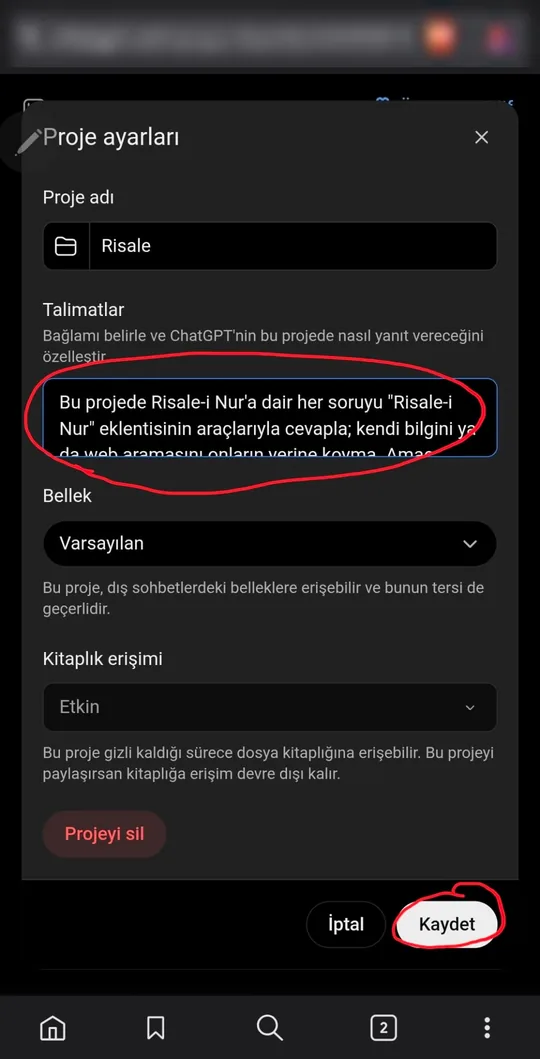
- Copy the instructions below with Copy, paste them into the Instructions field and select Save.
- Ask your Risale-i Nur questions in a new conversation inside this project.
Making a project in a phone's browser (Turkish interface)
Is it working?
After setup, start a new conversation (inside the project, if you made one with the instructions) and ask:
Which parable does the First Word (Birinci Söz) use to explain Bismillah? Show it with a quotation.
The shape of the answer depends on the model and whether you use a project. If the plugin works, you will see two things in the answer:
- A quotation from the Risale-i Nur, on its own line and in quotation marks, ending with a number such as
[1]. - A Sources list (in Turkish, Kaynaklar) at the very end: lines numbered
[1],[2], each naming the work and the section.
If the answer has no quotation or no source list, the assistant most likely did not use the plugin and answered from memory or from the web. See the problems below.
Hadith and Tafsir connectors
You can add two more connectors with the same steps; only the name and address differ:
- Hadis (hadith):
https://hadis.risalemcp.com/mcp(what it offers) - Tefsir (tafsir):
https://tefsir.risalemcp.com/mcp(what it offers)
The three are independent, each switched on and off on its own. With all of them on, the assistant names each source and gives them all in a single bibliography.
Trouble setting it up?
I pressed the button and a sign-in page appeared instead of the plugins page
Sign in to chatgpt.com, come back to this page and press the button again, or open Plugins in the sidebar.
There is no Add button or no "Add custom MCP server" option
In the ChatGPT app the plugin cannot be added; open chatgpt.com on a computer or in the phone's browser.
A "could not connect" or similar error appears
Take the URL with the copy button: it must be exactly https://mcp.risalemcp.com/mcp, with no space before or after it. No authentication must be selected. Try again a little later; if it persists, write to us.
It is added, but ChatGPT does not use it and answers from memory
Pick Risale-i Nur from the plus menu in the message box. Start a new conversation and mention "Risale-i Nur" in your question. Asking inside a project with the instructions largely solves this.
ChatGPT searches the web or writes the source list itself
Ask with web search turned off, and use a project with the instructions written for ChatGPT.
The plugin does not show on my phone
Check that the app is signed in to the same account you added it with, then close and reopen the app.
None of this helped
Write to destek@risalemcp.com: which device you use, at which step you got stuck and what you saw on the screen, with a screenshot if you can. Problems other than setup (daily limit, a tool error) are in the documentation.